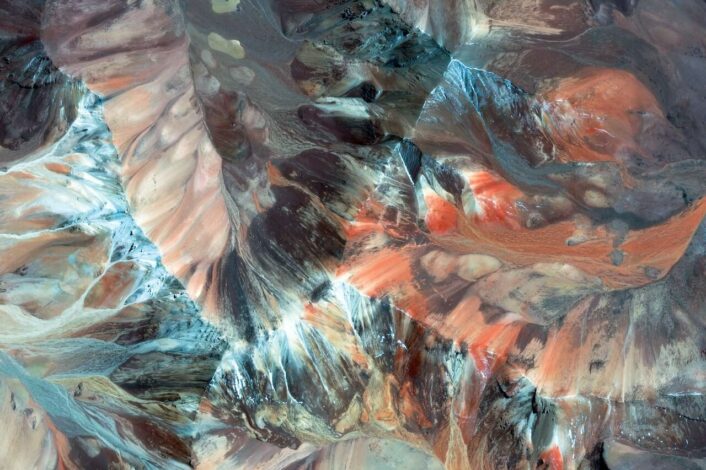

Preview of the Google Pretty Earth Wallpaper #1222

Google Pretty Earth: Random Image Link Generator (HTML)

Returns only existing, direct links to static Google’s Earth View (Pretty Earth) images. Link to embed the executed result: https://cdn.rawgit.com/oliveratgithub/eb4a33db70b258120eac/raw/39354fd68c90d6c5ed7cd98fe96f4b96735dad3a/prettyearthimageurl.html Example result: https://www.gstatic.com/prettyearth/assets/full/1222.jpg Code: Sources: GitHub – adriancooney/prettyearth-wallpapers Google Earth View

OS X Leopard Terminal Icon

OS X: create an ISO disk image

In OS X it is fairly simple to create a virtual disk image of the type “ISO” by using built-in UNIX tools and the Terminal. We are going to use the “dd” UNIX tool to copy a whole CD/DVD into a new ISO disk image file.

Secure USB Drive Logo

OS X: how-to store files password protected on a USB drive

It’s still one of the easiest ways to get someone’s data when you get your hands on a USB stick. It’s quite interesting, what you find on these portable drives – whether it’s from a friend or a business contact. There are serveral ways to protect yourself better by encrypting and password locking the drives. Sometimes there’s a preinstalled software on the USB drive available for that – but mostly not. I have a short how-to here showing how you can achieve this really easy using standard tools on your Mac!

Automator Icon

Using Automator to quickly access a website – TV show episode list example

Automator itself is a really powerful tool for automating recurring tasks in OS X. Unfortunately it’s still not really something regular Mac users are using for making tasks and working in OS X more efficient. The following example will show you, how to directly open the Wikipedia page containing the List of Episodes of a given TV show. Think outside the box in order to adapt this for many other uses.