Safari on OS X: how-to add a “Tweet this” shortcut to the bookmarks bar
This is a short screencast about how you can add an instant “Tweet this” shortcut to Safari’s bookmarks bar on OS X

Articles with practical solutions to common tech problems, from software issues to hardware fixes and more.

This is a short screencast about how you can add an instant “Tweet this” shortcut to Safari’s bookmarks bar on OS X
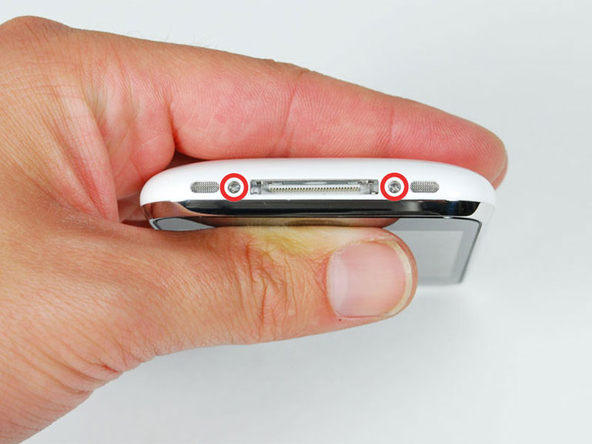
If you end up in a situation where your iPhone just won’t boot up anymore (not even showing the empty battery icon nor the Apple logo) – or it is simply not recognized in iTunes anymore – it might be, that some of the pins in the Dock connector are be broken. Go to your local Apple Store and have the whole phone replaced with one of the same model.

Don’t worry, I didn’t move away from Apple devices 😉 But due to my current job, I got an Android OS based mobile phone. And of course I wanted to be able to access my perfectly organized contact cards there… Continue reading » “iCloud: how to sync Contacts and Calendars to Android OS”

OS X nearly drove me nuts today, as it suddenly stopped accepting my Username/Password combination to login.

The WiFi Network “mobilcom-debitel Free WLAN” at Hamburg Airport allows you to go online for 1 hour for free within 24 hours. If this isn’t enough, because you have longer waiting times at the airport, or you want to connect… Continue reading » “How-to instantly renew free WiFi Access at Hamburg Airport”

A VBA macro for Microsoft Word (Mac + Windows) to Mail Merge each record into separate documents. Execute the following VBA Macro on your Office Word Mail Merge template to have Word generate & save every record into a single file.
Mit folgendem Befehl im Terminal.app lässt sich die kurze Verzögerung entfernen, bevor das ausgeblendete Dock angezeigt wird: defaults write com.apple.Dock autohide-delay -float 0 && killall Dock
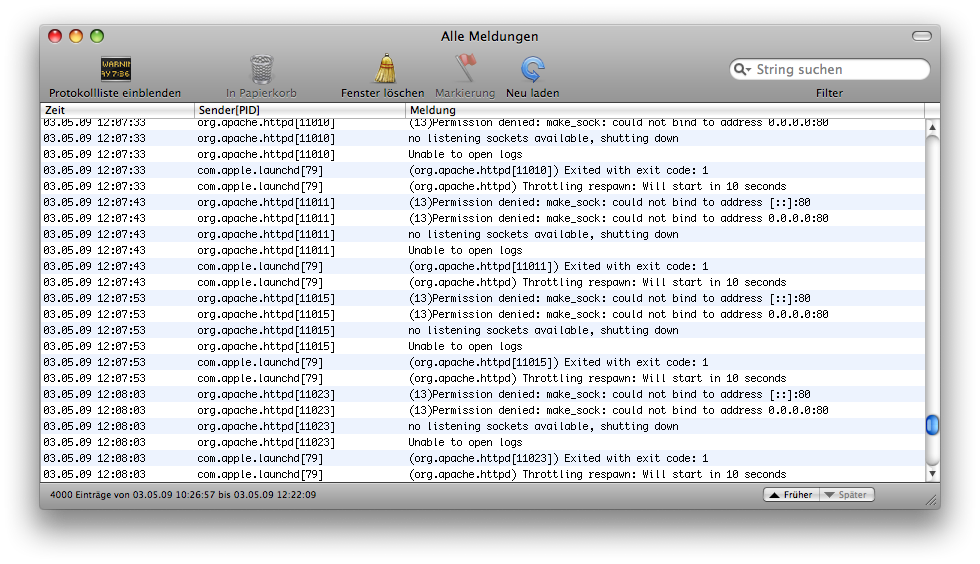
In case you have a USB mouse connected to your Mac and it’s not responding, check the Console.app in Applications > Utilities for USB related error entries. If you find the following text in the error log, it might simply… Continue reading » “OS X: USB Mouse not responding”
I noticed recently, that I had a grayed out item named “Unknown” in my login items list in OS X Lion, even indicated with a warning icon next to it. But I couldn’t remove this – obviously missing – item from… Continue reading » “OS X: How-to remove unknown Login Items”

I started using the fantastic app “Wunderlist” for my personal Task Management on the Mac, of course with synchronisation to iPhone and the web. Thanks to a Blog post from James O’Donnell on Scribd, I got my hands quickly on the required AppleScript. However, I didn’t like the fact that he made the script ask for a new User Input which will be created as new task – rather than just taking the currently selected text. So I adjusted his AppleScript code and put it into an Automator Service workflow, which you can download here.